

Car CD Player for Portable, External Car CD player, Dual-Mode USB or Bluetooth CD Player with for Car All-Models, Plug and Play
Default Title
$154.02
Sale price
$154.02
Regular price
$308.04
Skip to product information



Car CD Player for Portable, External Car CD player, Dual-Mode USB or Bluetooth CD Player with for Car All-Models, Plug and Play
$154.02
Sale price
$154.02
Regular price
$308.04
Explore our camping gear and outdoor essentials built for every adventure. From tents and sleeping bags to cookware and lighting, we have everything you need to make your next trip a success.
Brand Name: NONE
Choice: yes
Color: black
Digital Media Format: CD
High-concerned chemical: None
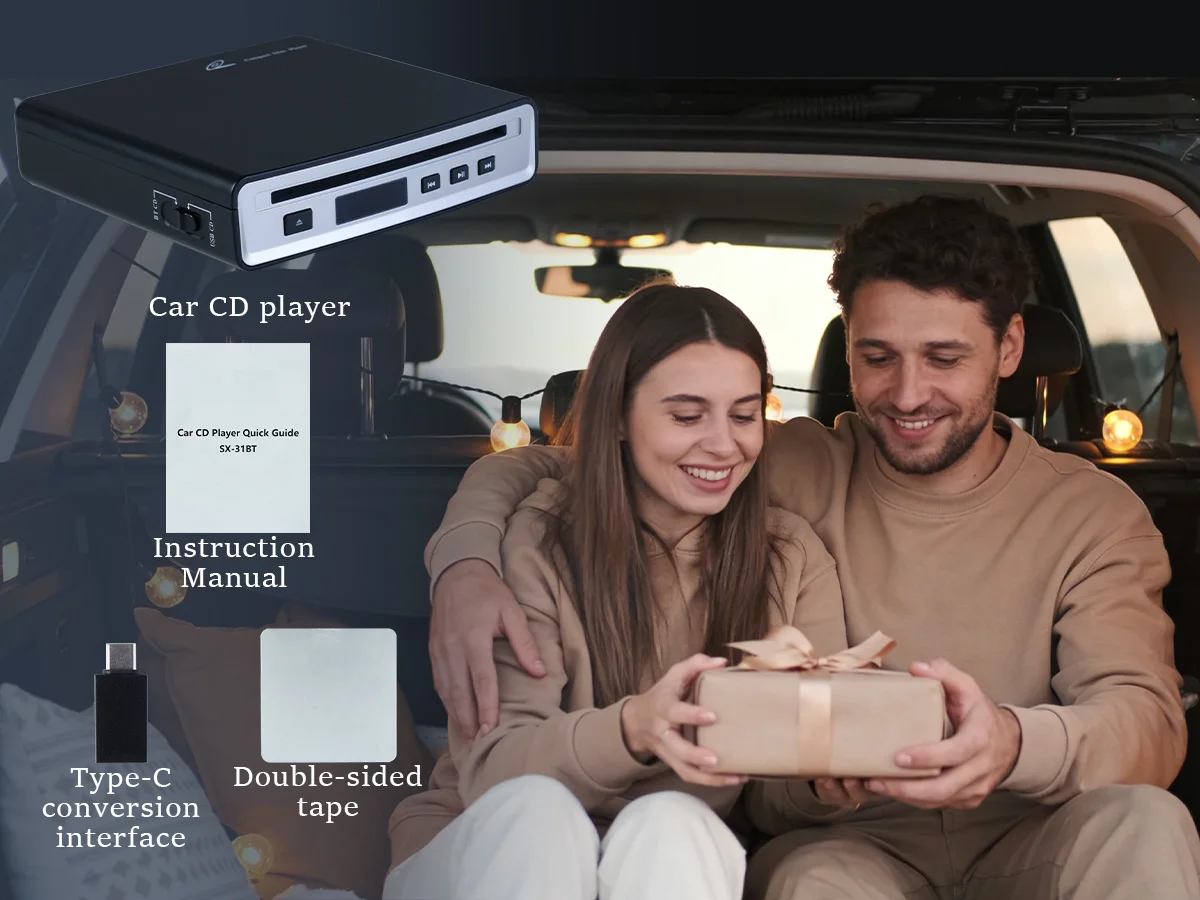
Item Size: 6.3"(L)x6.1"(W)x1.5"(H)
Item Weight: 0.52
Material: plastic
Model Name: SX-31BT
Origin: Mainland China
Special Features: cd player
Voltage: 5V
Precautions for SX-31BT operation:
1. If USB mode can be used, Bluetooth mode is not required.
2. If Bluetooth mode connection is used, the surrounding Bluetooth devices must be turned off (to avoid interference).
2.1 If the on-board host has the search function, the search function shall be used preferentially (when the disc reading is successful).
2.2 If the on-board host does not have the search function, it shall be connected in a passive way (operated when the disc reading is successful).
Operation Declaration:
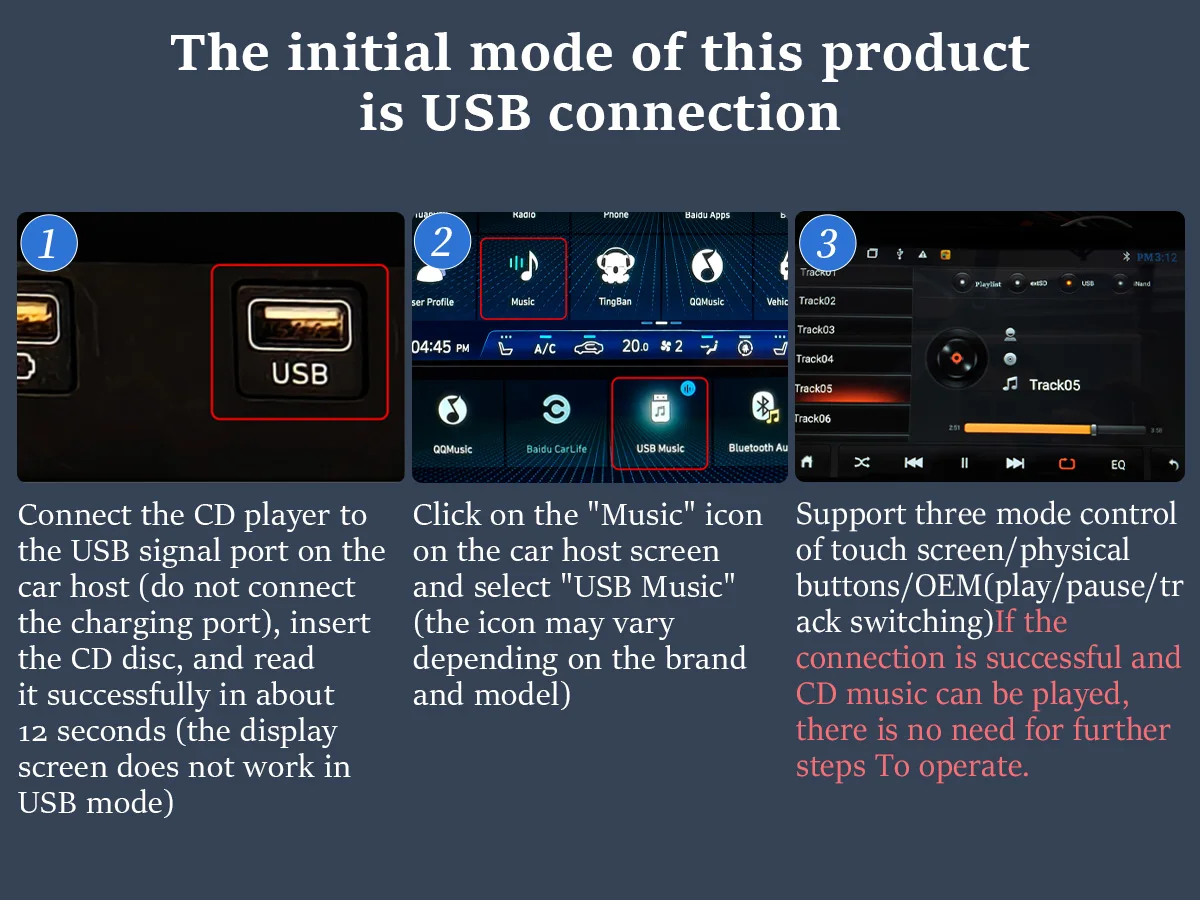
1. The initial mode of this product is USB-CD(The display does not function in USB mode)
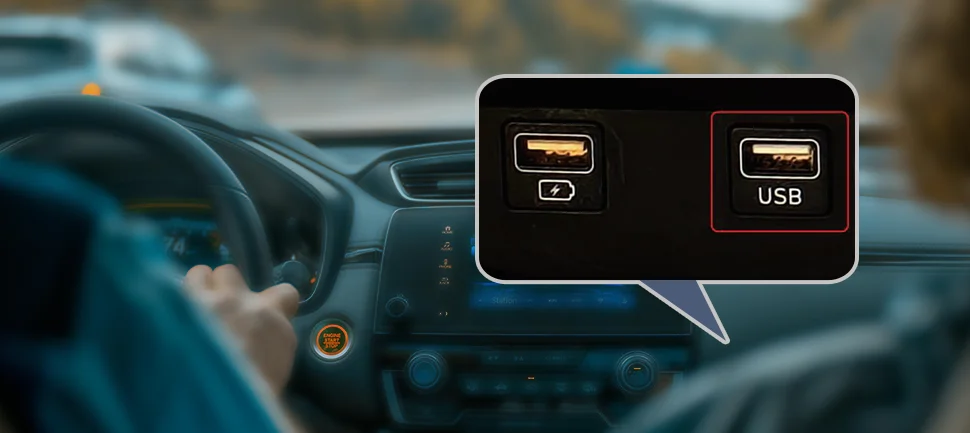
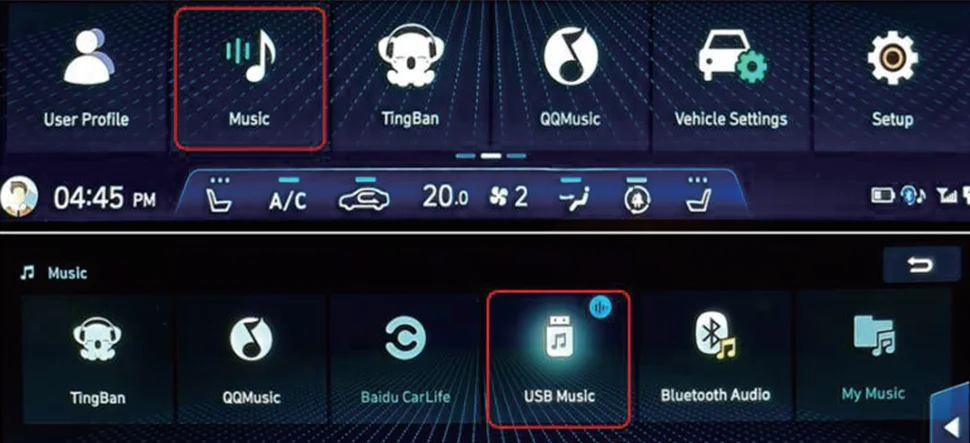
1.1 Connect the CD player to the USB signal port of the car host (do not connect the charging port), put in the CD disc, and read successfully in about 12 seconds;
1.2 Click the "Music" icon on the screen of the car host, and select the "USB Music" (the icon will vary according to different brands and models);
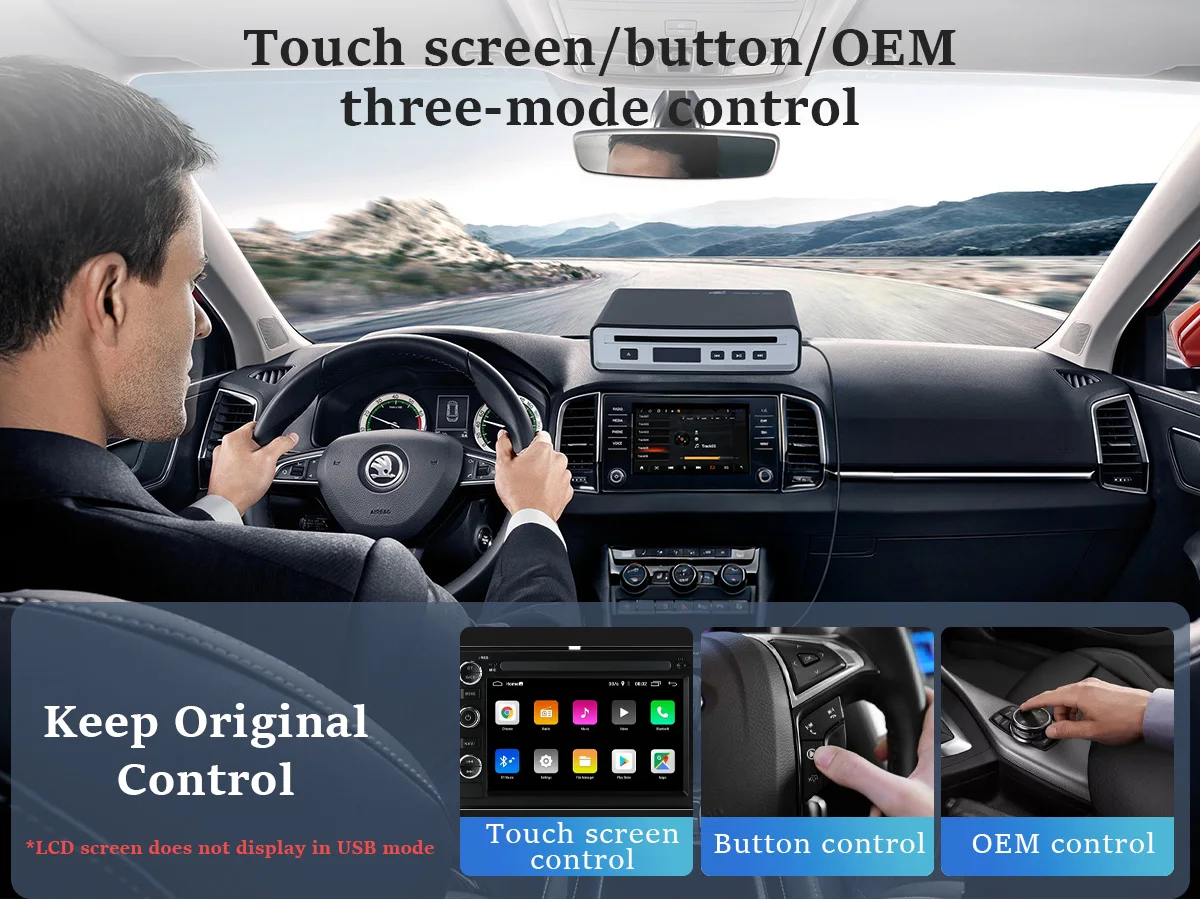
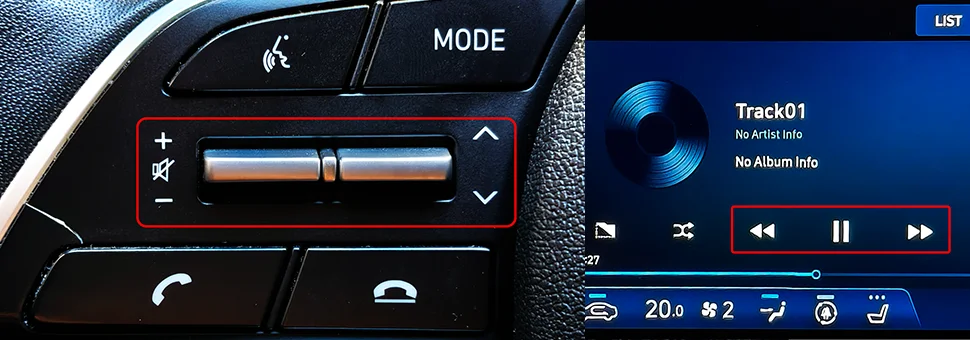
1.3 Support for dual-mode control of touch screen/physical keys (play/pause/track switch);
If the connection is successful and CD music can be played, subsequent steps do not need to be performed.
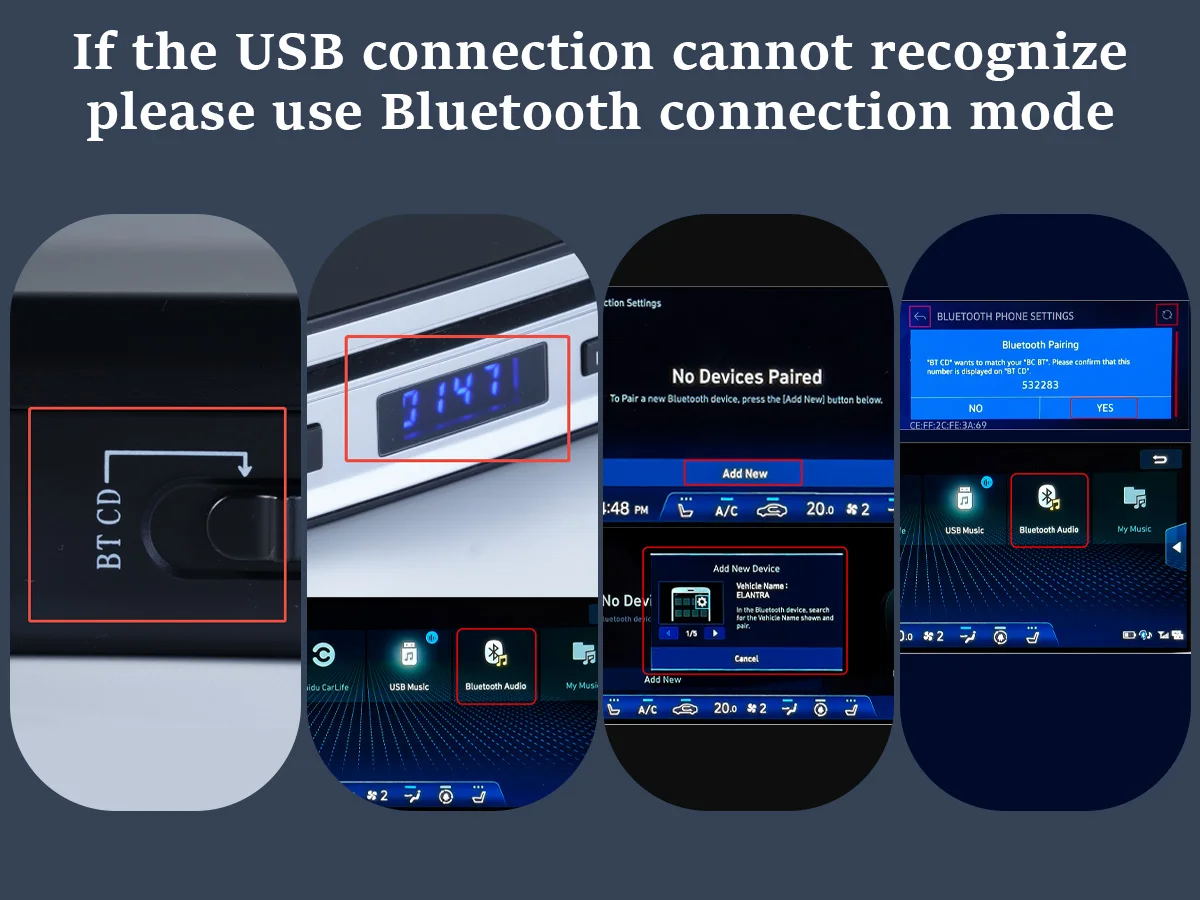
2. If the USB connection does not recognize this product, use Bluetooth connection mode.
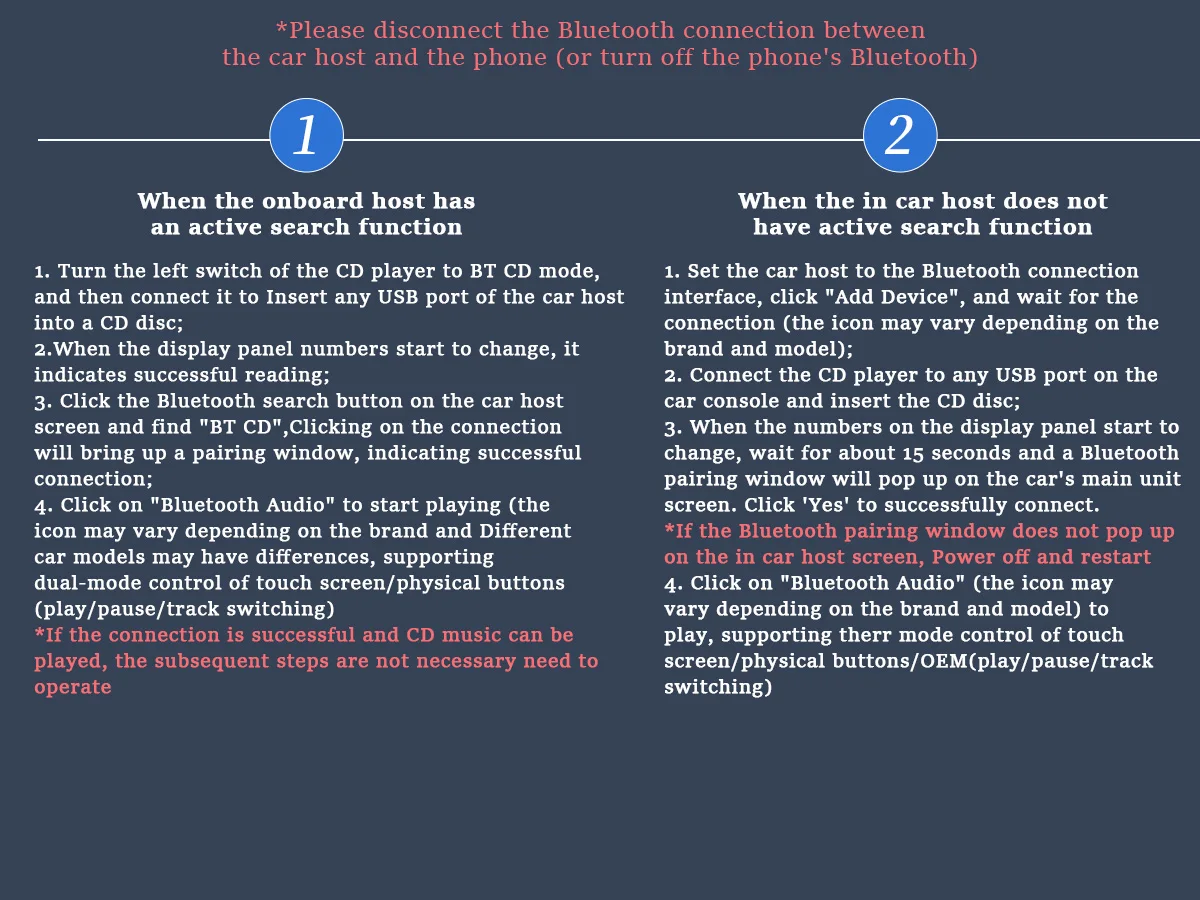
*Please disconnect the Bluetooth connection between the car host and the mobile phone (or turn off the mobile phone Bluetooth)
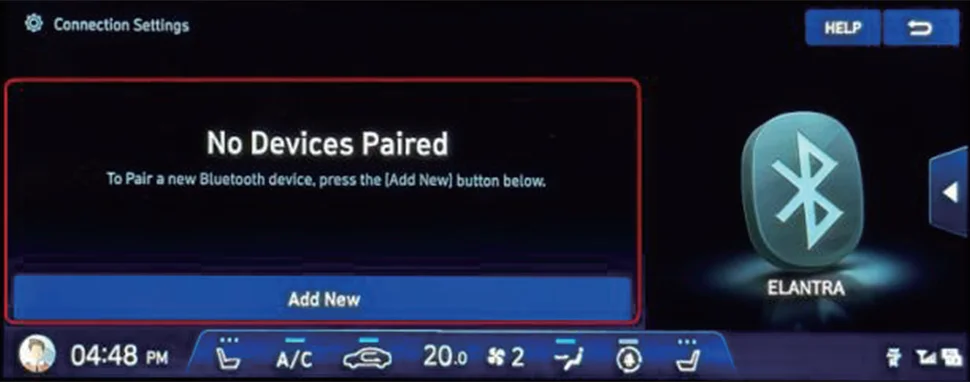
2.1 The vehicle host has the active search function
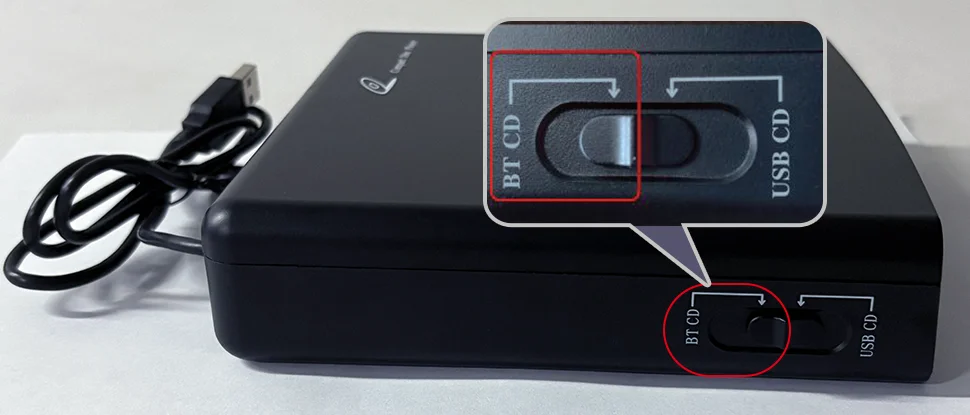
2.1.1 Turn the left switch of the CD player to BT-CD,Then connect to any USB port of the Vehicle mounted host, put in CD;
2.1.2 When the number of the display panel starts to change, it indicates that the reading is successful;
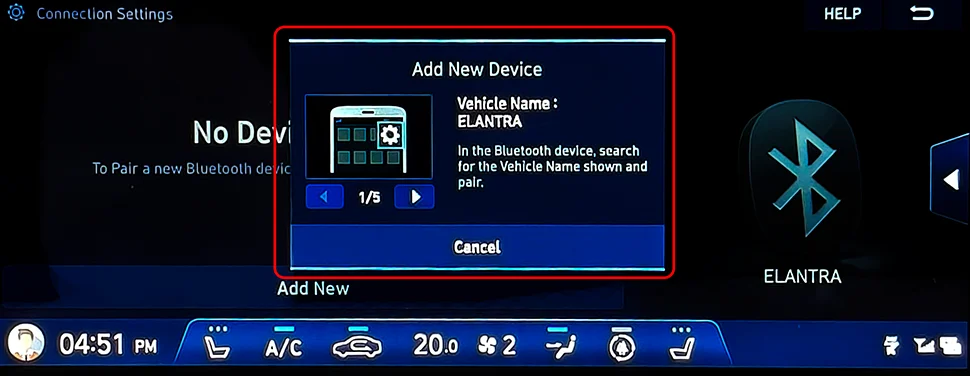
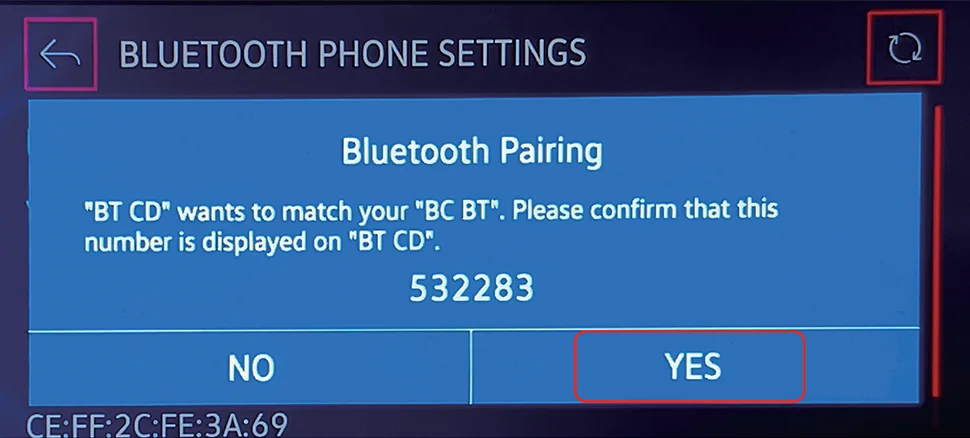
2.1.3 Click the Bluetooth search button on the screen of the car host, find "BT CD", click connect, A pairing window will pop up, indicating successful connection;
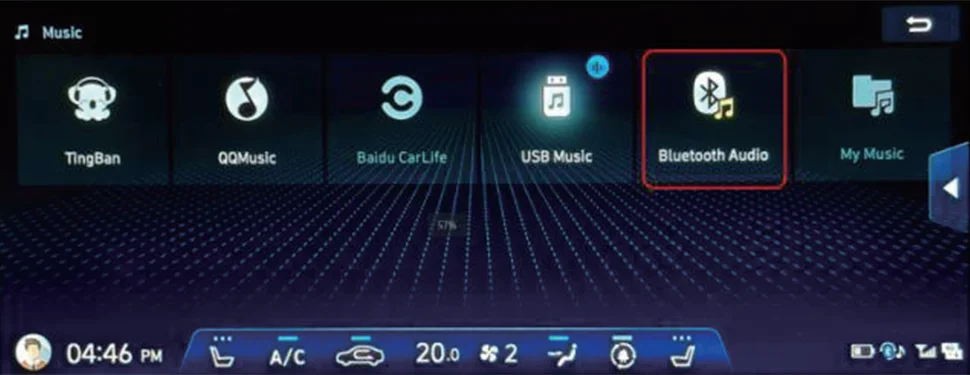
2.1.4 Click "Bluetooth Audio" to play (the icon will vary depending on the brand and model), support touch screen/physical button dual-mode control (play/pause/track switch);
If the connection is successful and CD music can be played, subsequent steps do not need to be performed.
2.2 The vehicle host has no active search function
2.2.1 Adjust the car host to the Bluetooth connection interface, click "Add device", and wait for the connection (the icon will vary according to different brands and models);
2.2.2 Connect the CD player to any USB port of the car host, and put in CD;
2.2.3 When the number on the display panel starts to change, press the out button. After the CD is popped out, do not remove it. The CD will automatically enter after 3 seconds. About 15 seconds later, a Bluetooth pairing window will pop up on the screen of the car host. Click "Yes" to connect successfully.
*If the Bluetooth pairing window does not pop up on the car host screen, please refer to 2.2.3 and operate again.
2.2.4 Click "Bluetooth Audio" (the icon will be different according to the brand and model) to play, support touch screen/physical button dual-mode control (play/pause/track switch).
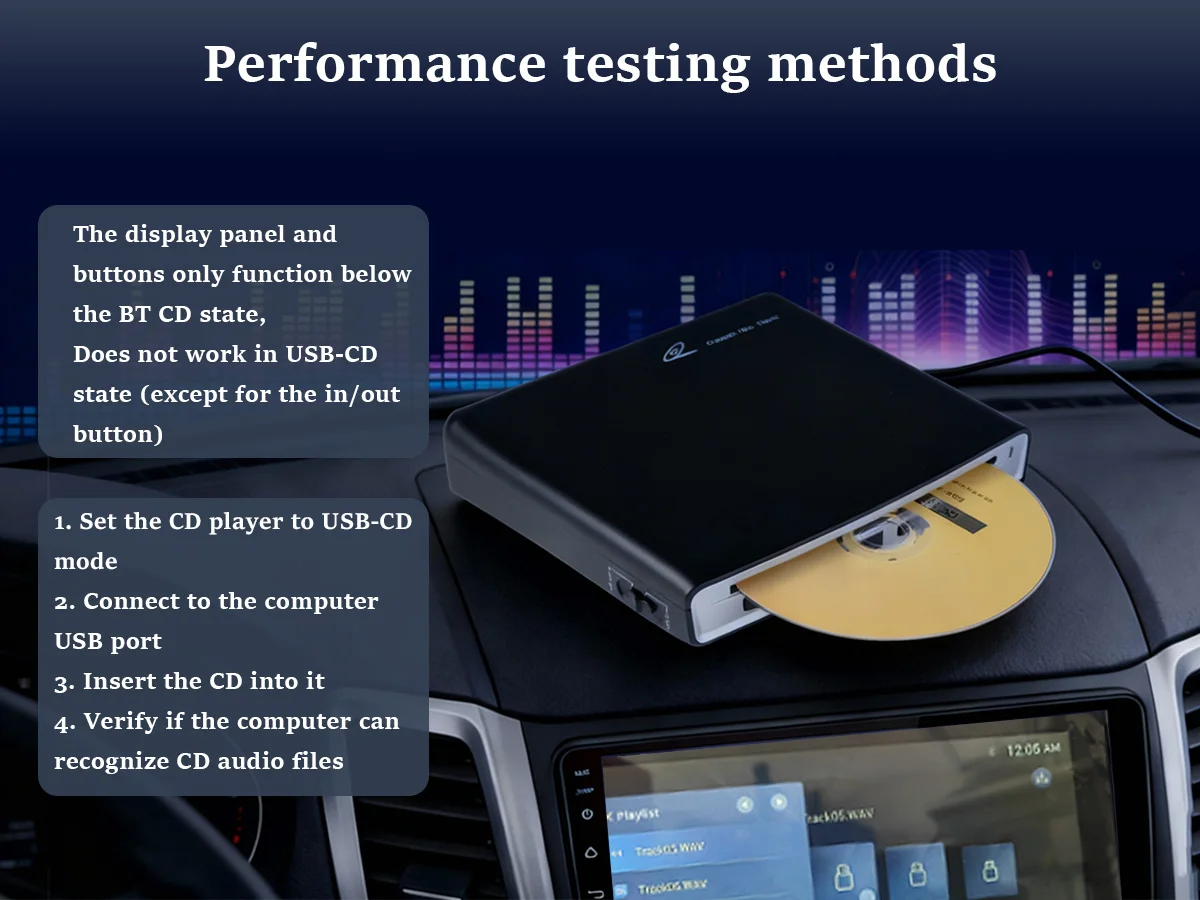
3. The display panel and buttons only function below the BT CD status,Does not work in USB-CD state (except for the in/out button).
CD Player Frequently Asked Questions
1. Supported Disc Formats
Compatible Formats:Standard CD,HQ-CD,MQA-CD,CD-R,CD-RW,MP3
2. car compatibility check
Requires ONE of the following: Car stereo has a UsB data port (not just charging) AND supports WAv file playback;Car stereo supports Bluetooth audio streaming (not just hands-free calls).
3. How to connect to car?
Method 1: UsB Wired ConnectionA. Use a UsB cable to connect the player to the car's UsB data port (not charging port).B. Plug-and-play- no setup required.
Method 2: Bluetooth Wireless Connection
A. Enable Bluetooth on your car stereo.
B. Pair the CD player following the manual's instructions.
4.USB Connection Not Working?
Troubleshooting:
A. Ensure the car's USB port is a data transfer port (test with other devices if unsure).
B. lf confirmed but still unresponsive, switch to Bluetooth mode.
5. Bluetooth Pairing Failed?
Steps to fix:
Verify the car stereo's Bluetooth is discoverable/on.
Follow the pairing process in the manual exactly.
Retry after restarting both devices if needed.